Sametime web client Sametime is the service to connect to Sametime with a web browser
You need to have a compatible web browser as listed below :
|
Supported Software |
Platform |
Version |
Prerequisite Minimum |
|
Apple Safari |
Mac |
(latest release) and future fix packs |
(latest release) |
|
Google Chrome |
Windows, Mac |
(latest release) and future fix packs |
(latest release) |
|
Microsoft Internet Explorer |
Windows |
11 and future fix packs |
11 for legacy chat web client only |
|
Microsoft Edge |
Windows |
(latest release) and future fix packs |
(latest release) for new Persistent Chat Web Client only |
|
Mozilla Firefox |
Windows, Mac |
(latest release) and future fix packs |
(latest release) |
|
To connect to the service follow this link :
https://im.ce.cloud-y.com
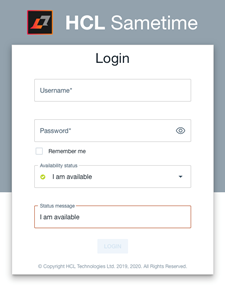
You will be redirected to the login page. Fill information about your username or email and the password (used far all SmartCloud-y services).
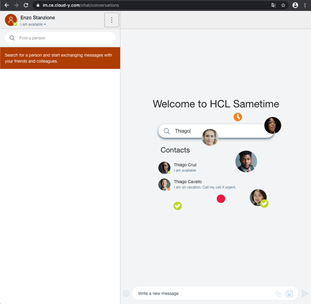
Once you are logged in you can start to use Sametime using your browser.
|
|
||