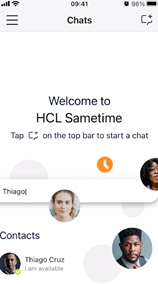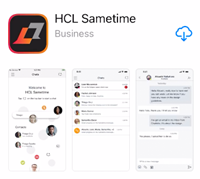
Sametime client for iOS is an application that bring Sametime service on a mobile device with iOS.
The application name that you have to found into the Apple Store is : HCL Sametime.
Download it and install on your device
The information that you need to configure the application are :
Community name : a name of your choice
Sametime Server : im.ce.cloud-y.com
User and password : the same you use for all SmartCloud-y services
Note:
In this guide we will use this information to fill all fields :
|
Server name Community |
Cloudy |
|
Host server |
im.ce.cloud-y.com |
|
User Name |
|
|
Password |
an hidden password |
Sametime cliente for iOS
Once the Sametime HCL application is installed, open it using the following icon :

And will appears this panel :
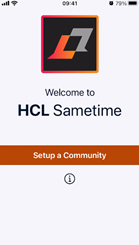
Tap on “Setup a Community”.
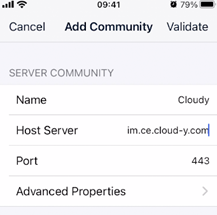
and fill all fields with your information, as explained below.
Leave all other informations already filles as is.
If you want explore Advanced Properties :
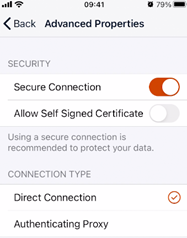
And tap “<Back” to return to previous screen.
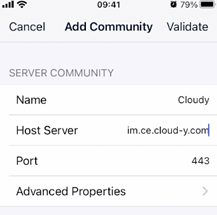
Now tap on “Validate” and wait to complete and validate your configuration.
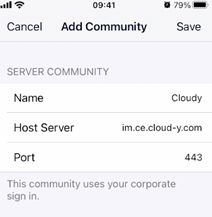
Tap on “Save” to close the configuration panel.
Now your Sametime client for iOS is configure and ready to you.
Will appear the login screen, as shown below :
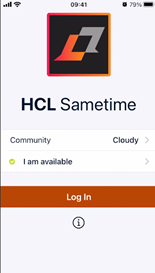
Now you can tap on “Log In” to access the Sametime service on SmartCloud-y.
The last step is fill information about user.
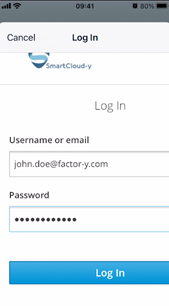
And then tap on “Log In”
Now you are ready to use Sametime service on SmartCloud-y.